
Automate Bank Reconciliation
in Under 2 Minutes with AI Agents
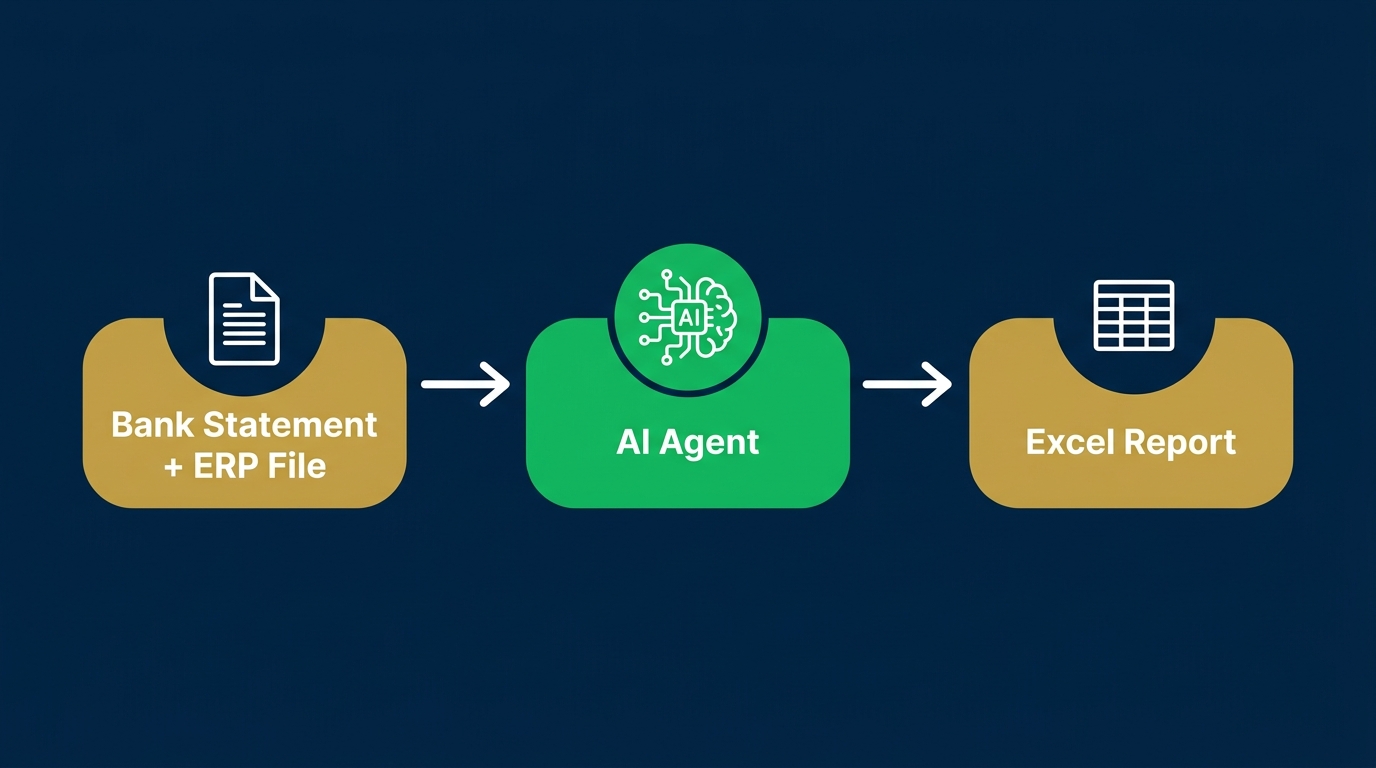
One prompt. Two files. One audit-ready report with matched transactions, confidence scores, and every exception documented. No coding required.
What Makes This Course Different?
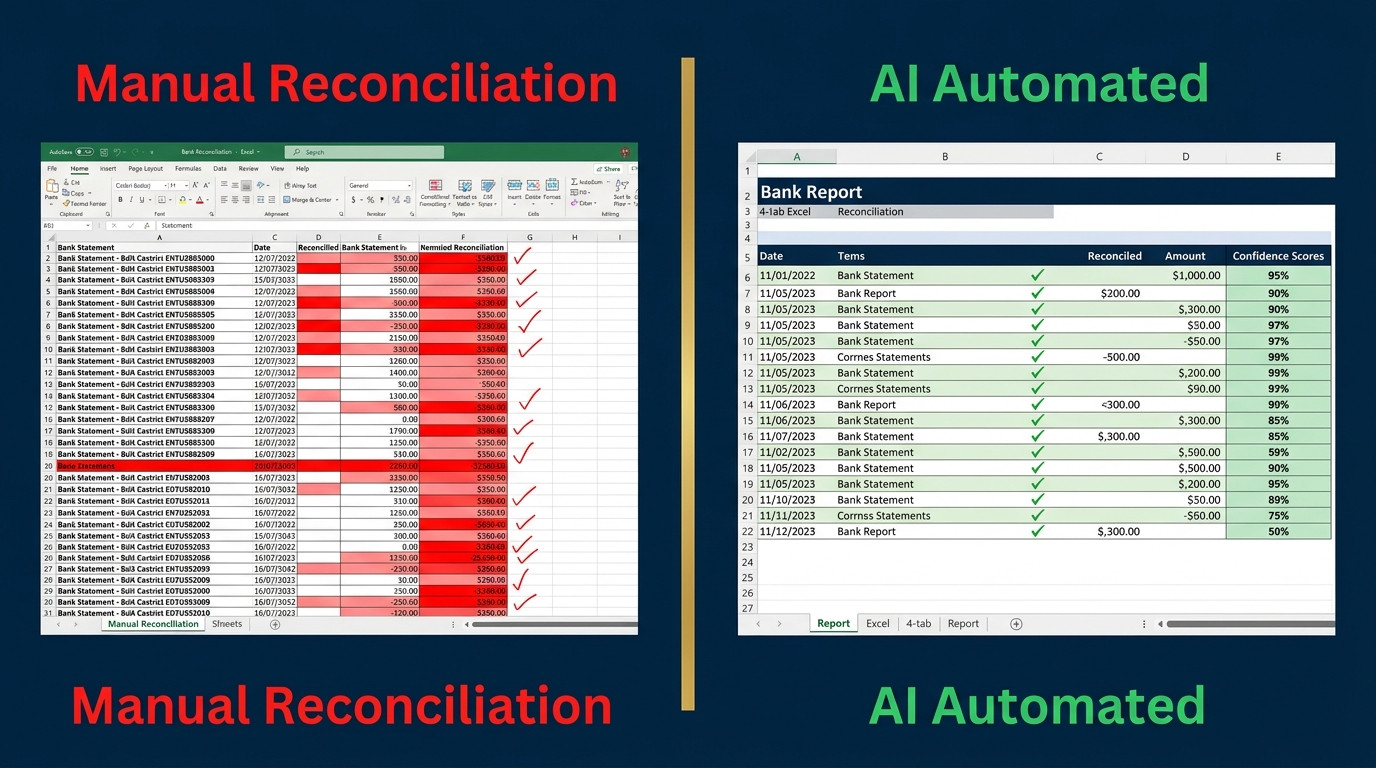
Most finance automation courses teach you theory. This one hands you a working engine and shows you how to run it. Bank reconciliation is a month-end close process that most finance teams still do manually despite the availability of automation tools.
The FinDataPro AutoBankRec toolkit is a Python-based reconciliation engine that runs entirely on your machine. Your financial data never goes to the cloud. It works with any AI assistant: Claude, GPT-4o, Gemini, Copilot, or any other LLM you already use.
The AI does not do the reconciliation. The engine does. The AI is just the interface, which means you get consistent, reproducible results regardless of which model you use. Every output meets the internal control documentation standards expected by auditors.
Why Manual Reconciliation Fails
- ⚠Finance teams across SMEs spend 8 to 12 hours a month on a single reconciliation task
- ⚠Manual matching misses partial amounts, reformatted references, and multi-currency transactions
- ⚠Every manual match is a potential audit risk: undocumented, un-scored, and unverifiable
- ⚠ERP exports and bank statements rarely match exactly due to date offsets, description mismatches, and split transactions
- ⚠When the CFO asks for the cash balance at Day 3 of close, a manual process cannot answer fast enough
See the Automation in Action
Watch the full reconciliation workflow: from two input files to an audit-ready Excel report in under 2 minutes.
Who Is This Course For?
This course is built for finance professionals who do the actual close, not for developers or data scientists.

Finance Managers and Controllers
Running month-end close and reconciliations across multiple entities
CFOs and Finance Directors
Introducing automation into the close process without IT involvement
Accountants and Bookkeepers
Handling reconciliations for multiple clients or companies
GCC and MENA Finance Teams
Using FAWRI+, SWIFT, WPS, and local ERP exports
India Finance Teams
NEFT, RTGS, UPI, and Tally/SAP bank book formats
Finance Students
Building an automation skill before entering the workforce
Everything Is Free
The course is free. The toolkit is free. You can run your first automated bank reconciliation before you finish watching.
- engine.py — Python fuzzy-matching reconciliation engine (runs locally)
- BankStatement_Template.xlsx — Pre-formatted bank statement input
- ERPBankBook_Template.xlsx — Pre-formatted ERP bank book input
- Demo data — GCC and India bank formats included
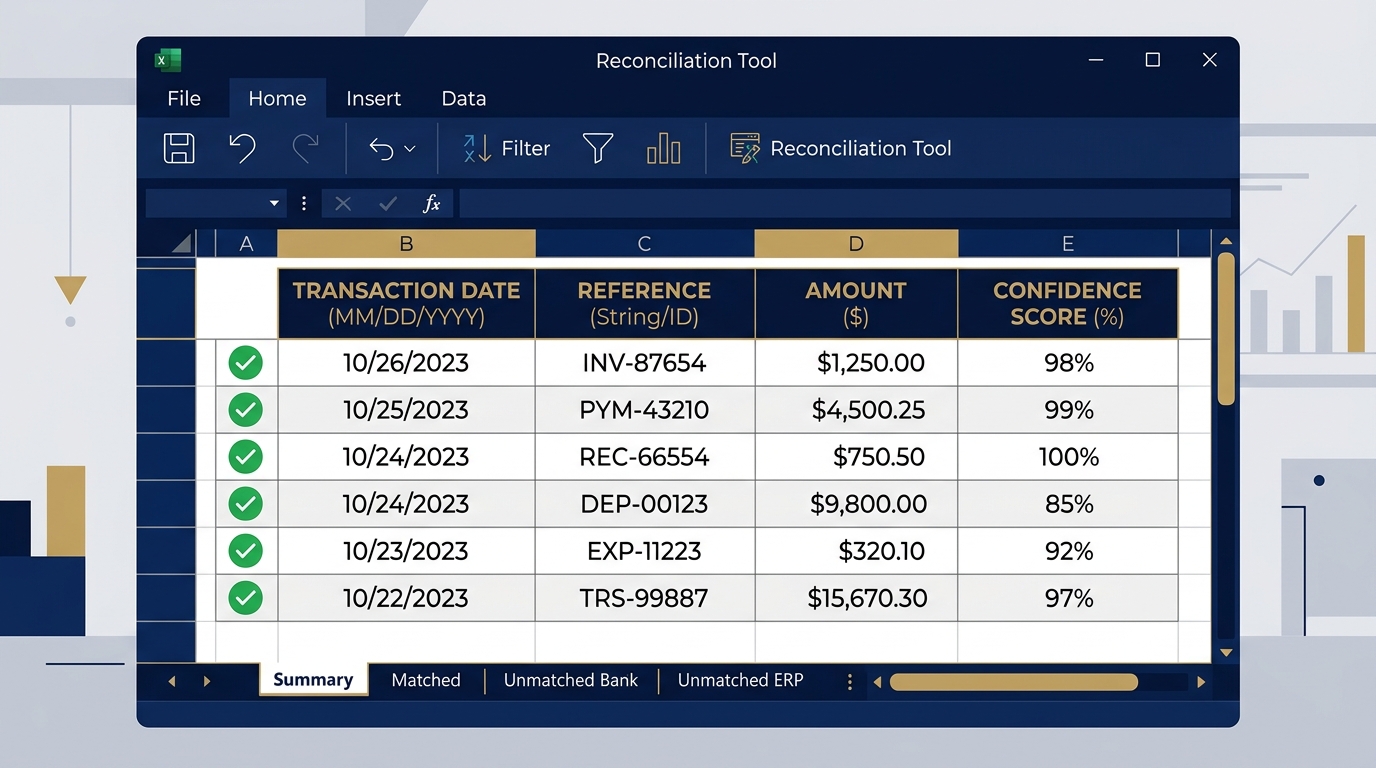
- 4-tab audit-ready output — Summary, Matched, Unmatched Bank, Unmatched ERP
- Confidence scoring — Every matched pair is scored, not just matched
Course Curriculum
14 lectures across 7 sections. Each section builds directly on the previous one.
Section 1: Introduction and Setup
- What is an AI Agent? (Finance context, not tech jargon)
- Setting up your environment: Claude Cowork or VS Code
- Downloading and understanding the AutoBankRec toolkit
Section 2: Bank Reconciliation Fundamentals
- What bank reconciliation actually is and why it matters
- Common failure points in manual reconciliation
- What audit-ready output really means
Section 3: The Agentic Finance Workflow
- How AI agents work inside a finance process
- The prompt, engine, output chain explained
- Why the engine is LLM-agnostic
Section 4: AutoBankRec Architecture
- Inside engine.py: what the fuzzy matching logic does
- Understanding confidence scores
- Reading the 4-tab Excel output
Section 5: Live Demo: Claude Cowork
- Full walkthrough: prompt to output in Claude Cowork
- Interpreting the Summary tab
- Handling unmatched transactions
Section 6: Live Demo: Any LLM (GPT-4o / Antigravity IDE)
- Same demo, different AI platform
- Proving LLM-agnostic architecture
- Comparing outputs side by side
Section 7: Conclusion and Next Steps
- Adapting the toolkit to your own bank formats
- Where to take this further
- Download your free toolkit
Real-World Applications
Month-End Close
Run your bank reconciliation in the first 2 minutes of close day. Have the matched report ready before your morning coffee.
Audit Preparation
Every matched transaction is documented, confidence-scored, and exportable. Hand it to your auditor exactly as it comes out.
Multi-Entity Reconciliation
Run the engine once per entity. Same prompt, same output format. Scale across subsidiaries without scaling the team.
Client Work (Accountants and Bookkeepers)
Handle 10 clients' reconciliations in the time it used to take to do one manually. Same toolkit, same process, every time.
Enrol Free on Udemy
This course is hosted on Udemy and is permanently free. No coupon required. No expiry. Lifetime access.
Hosted on Udemy
- 14 lectures across 7 sections
- Free AutoBankRec toolkit download
- Two complete live demonstrations
- Lifetime access
- Certificate of completion (Udemy)
Frequently Asked Questions
Do I need to know how to code?
No. You need to be able to run a Python script from a terminal or from inside an AI agent environment. The course shows you exactly how. No prior programming knowledge required.
Which AI tools does this work with?
Any LLM: Claude, GPT-4o, Gemini, Copilot, Mistral, or any other. The reconciliation engine runs locally on your machine. The AI is only used to trigger and coordinate it.
Does my financial data go to the cloud?
No. The engine runs entirely on your local machine. Your bank statement and ERP data never leave your computer. The AI only receives a text prompt, not your data.
What bank and ERP formats are supported?
The templates support SWIFT, FAWRI+, WPS, NEFT, RTGS, UPI, and standard ERP exports from SAP, Oracle, QuickBooks, Tally, and similar systems. Demo data for GCC and India formats is included.
Is this course really free?
Yes. Permanently free on Udemy. No coupon needed, no expiry date. The toolkit is also free to download.
What is the output?
A four-tab Excel report: Summary (match rate and counts), Matched Transactions, Unmatched Bank Items, and Unmatched ERP Items. Every matched pair has a confidence score.
Who built this?
Prashant Panchal, ACA, FMVA®, is a finance executive with 19 years of experience in the GCC. The toolkit is built and maintained by FinDataPro.
Have a question about the course or the toolkit?
Fill in your name and what you'd like to discuss, then hit the button to open WhatsApp.
Typically replies within a few hours during business hours (GST)
Get Free Excel & Finance Templates
Start with our free toolkit — practical templates and guides used by 8,600+ finance professionals. No fluff, just tools that work.
Excel & Power BI templates
Ready to use, fully documented
Video courses included
Step-by-step from a finance professional
Instant download
No waiting, no subscription required
Discussion
Leave a Comment
Comments are moderated and appear once approved.