
XLOOKUP for Intercompany Reconciliation: A Chart of Accounts Mapping Framework
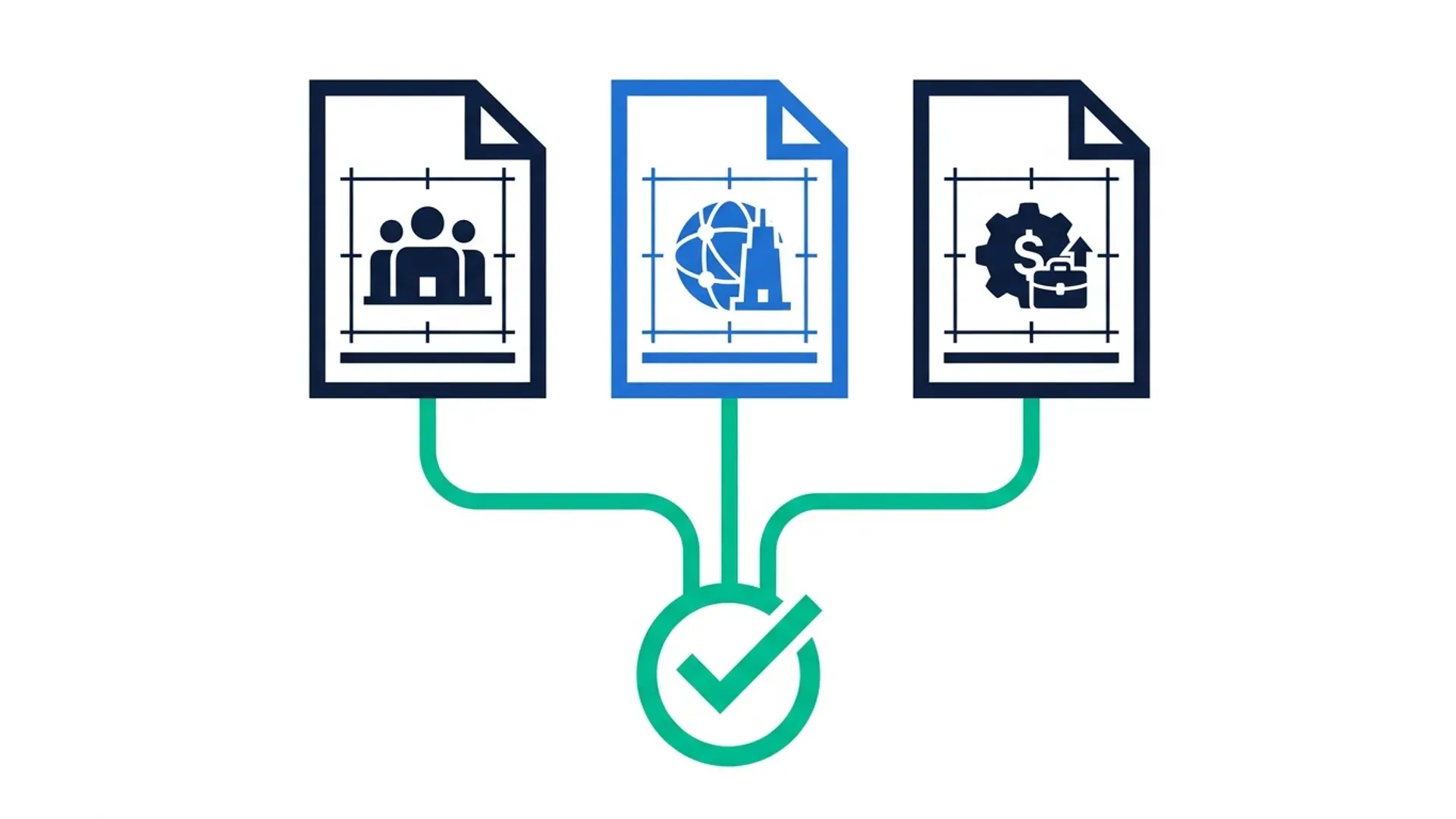
If you've ever tried to reconcile a due-to/due-from balance between a parent company and one of its regional branches, you already know the problem isn't XLOOKUP. It's that account code 51200 in one entity's trial balance doesn't mean the same thing as account code 51200 in another entity's trial balance — if that code even exists there at all.
A basic two-column lookup assumes both sides speak the same language. Intercompany data rarely does. This guide builds a working XLOOKUP-based reconciliation for a multi-entity group where account structures genuinely don't match, using IFNA — not IFERROR — to separate real reconciling items from formula noise.

ACA | FMVA® | 19 Years in Finance
Why Basic XLOOKUP Breaks on Intercompany Data
A standard XLOOKUP assumes the lookup value in Sheet A exists, unmodified, somewhere in Sheet B's lookup range. That holds for a simple customer-to-invoice lookup. It falls apart the moment you're comparing balances across legal entities, because three things are almost always true in a real group structure.
- Account codes are entity-specific. A group that's grown by acquisition, or that set up entities in different countries at different times, ends up with charts of accounts that were never designed to talk to each other.
- Balances that should match, don't exactly. Timing differences, FX translation, and unposted eliminations mean a true XLOOKUP match on account code alone will return a number — but not necessarily the number the other entity is carrying for the same transaction.
- An unmatched line is informative, not an error. If you wrap the whole thing in IFERROR and print "0" or a blank, you've hidden the one thing intercompany reconciliation exists to catch: the genuinely unreconciled item.
If you're still deciding whether to move off VLOOKUP entirely, our XLOOKUP vs VLOOKUP guide covers the general case. This article assumes you're past that decision and need XLOOKUP to do a specific, harder job.
The Scenario: Three Entities, Three Charts of Accounts
To keep this concrete, we'll use a fictional group: Meridian Group, a holding company with one regional branch and one subsidiary acquired four years ago. Nothing here is drawn from a real company's data — it's built to reflect the kind of COA mismatch that shows up constantly in multi-entity groups operating across borders.
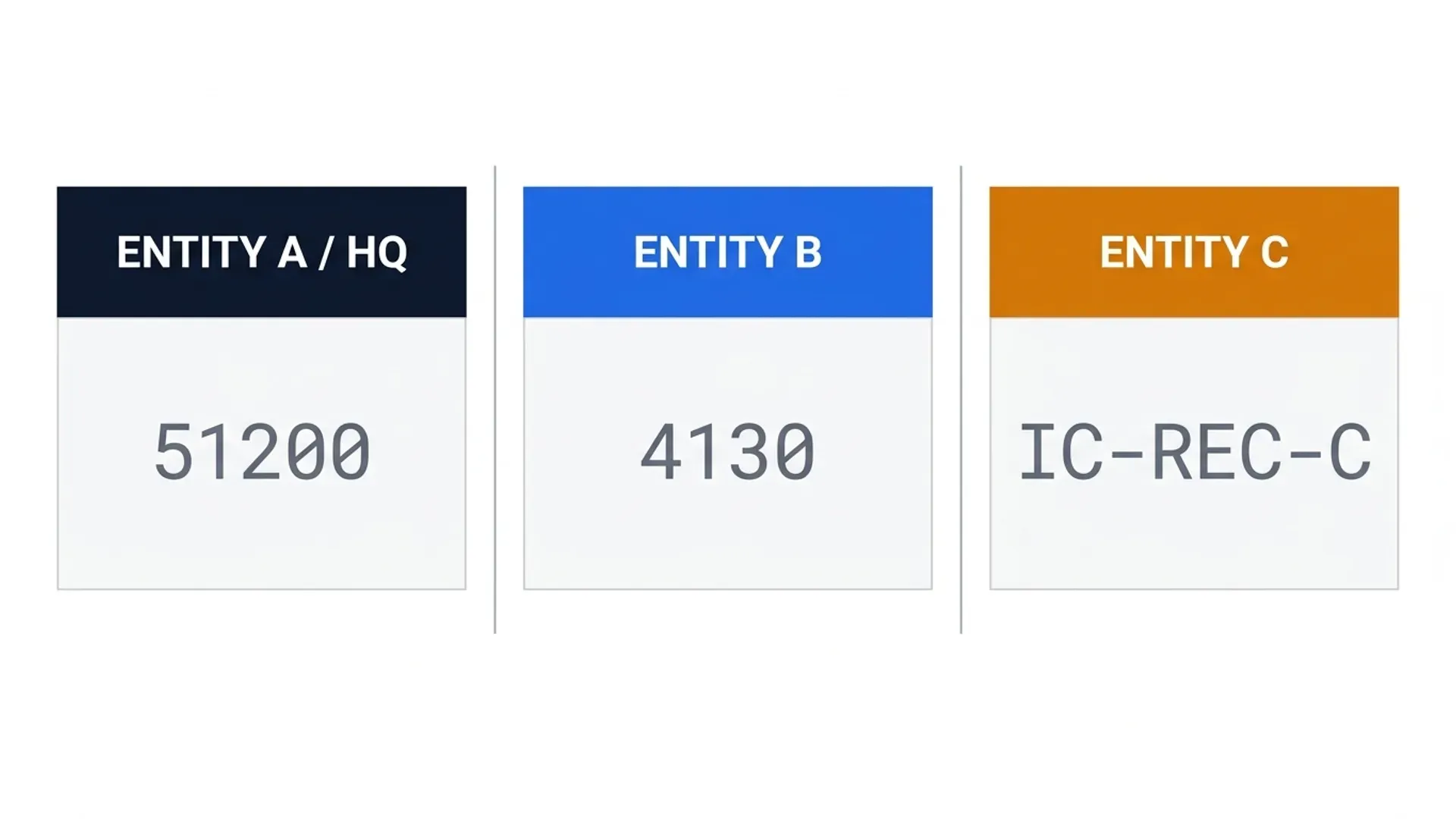
| Entity | ERP / System | Account Code Format | Example: Intercompany Receivable |
|---|---|---|---|
| Meridian Group (Parent / HQ) | Oracle NetSuite | 5-digit numeric | 51200 |
| Entity B (Regional Branch) | Same NetSuite instance, separate subsidiary | 4-digit numeric, different series | 4130 |
| Entity C (Acquired Subsidiary) | Legacy Tally system, not yet migrated | Alphanumeric | IC-REC-C |
At month-end, each entity produces a trial balance extract with its own account code. HQ's due-from-Entity-B balance needs to tie to Entity B's due-to-HQ balance. HQ's due-from-Entity-C balance needs to tie to Entity C's due-to-HQ balance. Three different code formats, two relationships to reconcile, and no shared key to lookup on directly.
Step 1: Build the Account Mapping Table
This is the step most tutorials skip, and it's the step that actually solves the problem. Before any XLOOKUP runs, you need a mapping table that translates every entity-specific account code into one shared intercompany relationship key. This table lives on its own sheet and gets maintained once, not rebuilt every month.
| Entity | Local Account Code | Local Account Name | IC Relationship Key |
|---|---|---|---|
| HQ | 51200 | Due from Entity B | IC-HQ-B |
| Entity B | 4130 | Due to HQ | IC-HQ-B |
| HQ | 51205 | Due from Entity C | IC-HQ-C |
| Entity C | IC-REC-C | Due to HQ | IC-HQ-C |
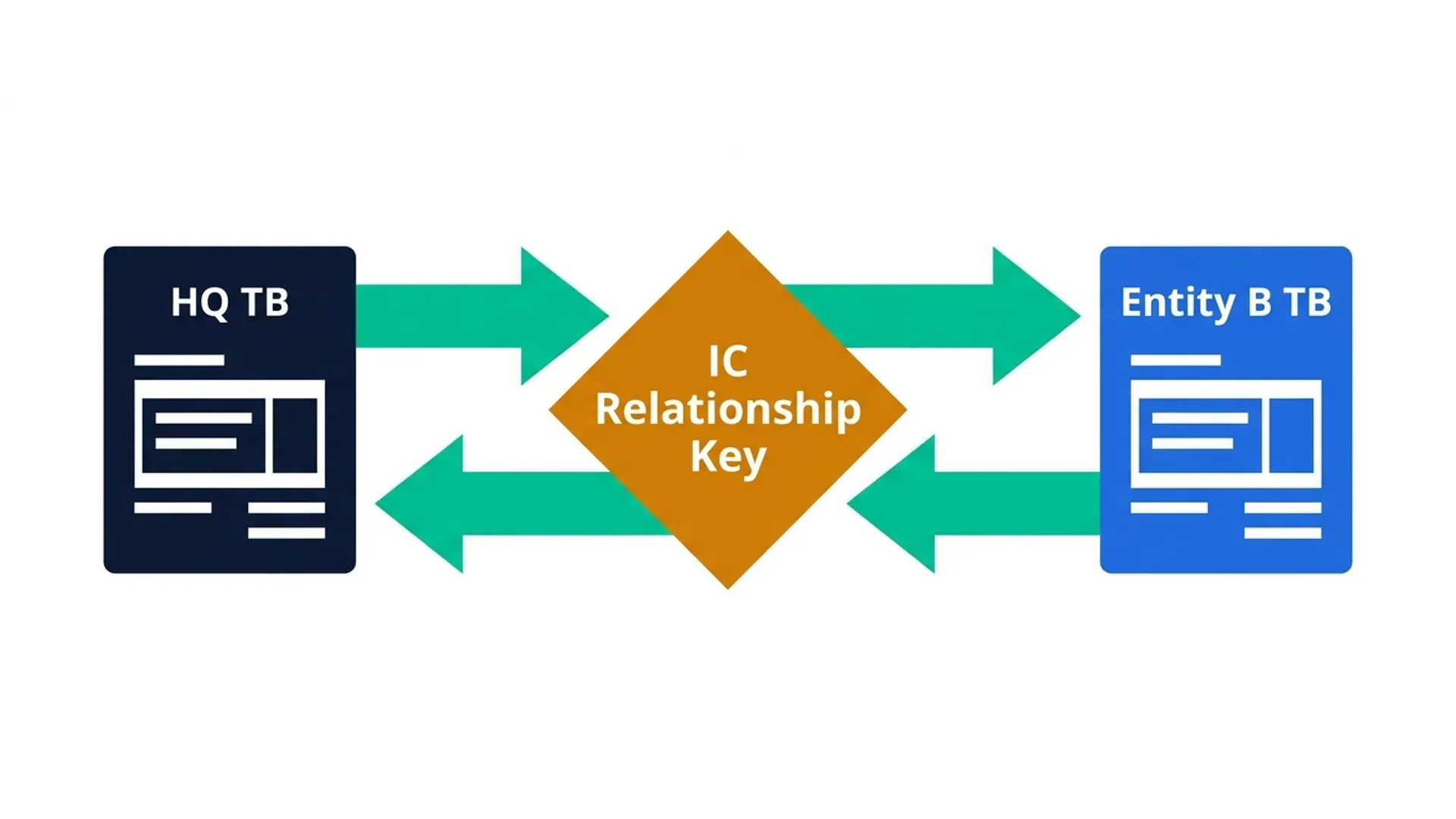
The relationship key, not the account code, is what your XLOOKUP will actually search on. This is the single change that separates a reconciliation that works from one that silently fails the first time someone adds a fourth entity.
Step 2: The Two-Way XLOOKUP Match
With the mapping table in place, each entity's trial balance gets a helper column that pulls in its IC Relationship Key:
Then the reconciliation sheet uses that shared key to pull the opposite entity's balance:
This is a true two-way match: HQ's side looks up Entity B's balance using the shared key, and a mirrored formula on Entity B's side looks up HQ's balance the same way. If both sides return a number, you compare them directly. If either side returns "NOT FOUND", you know immediately which entity failed to post the corresponding entry — not just that the totals don't tie.
Step 3: IFNA, Not IFERROR — Flagging What's Actually Unreconciled
This is the step most Excel tutorials get wrong for accounting use cases, and it's worth being direct about why. Wrapping a lookup in IFERROR catches every possible error the formula could throw — a genuine #N/A because the account isn't mapped yet, but also a #REF! because someone deleted a column, or a #VALUE! because a cell has text where a number should be. IFERROR treats all of these the same way: it hides them.
IFNA does one thing: it catches #N/A specifically, which is what XLOOKUP returns when nothing matches. Everything else surfaces as a visible error, exactly where you'd want to see it before month-end close.
Used this way, an unmatched line doesn't disappear. It becomes a flagged row in your reconciliation, exactly as it should for something that needs investigation, not concealment.
Step 4: Multi-Currency Variance Tolerance Bands
Even with a perfect key match, HQ's due-from balance and Entity B's due-to balance, each carried in a different functional currency, won't tie to the smallest currency unit. Timing of FX translation, rounding, and different month-end rates all introduce small variances that are normal — but you still need to distinguish "normal FX noise" from "genuine reconciling item."
Add a tolerance band using a simple conditional check against the translated variance:
Set the tolerance as its own input cell — typically a small percentage of balance or a fixed currency amount agreed with your audit team — rather than hardcoding it into the formula. This keeps the threshold visible and auditable rather than buried in formula logic, which matters if an external auditor asks how the tolerance was determined.

Step 5: Scaling to a COA Hierarchy (Not a Flat List)
The mapping table above works cleanly for two or three entities. Once a group has five or more, a flat list of account-code-to-key pairs becomes hard to maintain, particularly if entities also roll up into different consolidation groupings for management reporting versus statutory reporting.
At that scale, structure the mapping table with an explicit hierarchy: Entity → Local Account → IC Relationship Key → Consolidation Group. XLOOKUP still does the heavy lifting, but you're now looking up through a structured table rather than a flat one, which means adding an entity means adding rows to one table — not rewriting formulas across every reconciliation tab.
Version Compatibility: XLOOKUP Fallback for Excel 2019/2021
XLOOKUP requires Excel 365 or Excel 2021. If your group has entities still running perpetual-licence Excel 2019 — common enough in larger enterprise environments where cloud rollout lags across sites — the file will show a #NAME? error the moment someone without XLOOKUP opens it.
The fallback is INDEX/MATCH, which does the same job with older syntax:
If you're distributing this workbook across a group where version consistency isn't guaranteed, build both formulas into named ranges and let a single toggle cell switch between them — or just standardise on INDEX/MATCH for anything leaving your own machine, and keep XLOOKUP for internal use only.
Three Mistakes That Break Intercompany XLOOKUP Matches
Matching on account name instead of code
Account names get retyped inconsistently ("Due from Entity B" vs "Due From Regional Branch" vs "IC Receivable — Entity B"). Codes, even when they differ across entities, are far more stable — which is exactly why the mapping table translates codes into keys rather than trying to match on descriptions.
Forgetting the exact-match default isn't guaranteed with text keys
XLOOKUP defaults to exact match, but leading/trailing spaces or inconsistent capitalisation in a text-based key (like Entity C's "IC-REC-C") will still cause false non-matches. Wrap your key columns in TRIM and UPPER when building the mapping table, not just when troubleshooting a failure.
Wrapping everything in IFERROR out of habit
Covered above, but worth repeating: this is the single most common way real reconciliation problems get buried instead of caught, and it's usually not deliberate — it's just the pattern most people learned first.
When XLOOKUP Isn't Enough
This framework holds well for a handful of entities and month-end volumes in the low thousands of rows. Once you're reconciling ten-plus entities, or the trial balance extracts arrive as raw, unstructured exports from different ERPs that need cleaning before any lookup can run, formulas alone start to strain. That's the point where Power Query's transformation layer earns its place ahead of the lookup layer — a decision we cover in a dedicated Power Query vs formulas comparison.
If you'd rather not maintain this mapping table and tolerance logic by hand every month, AR Intelligence Manager builds this matching engine natively, with the two-way match, IFNA-based flagging, and currency tolerance bands already wired into the workbook — see the link below.
Frequently Asked Questions
Can XLOOKUP reconcile intercompany balances directly without a mapping table?
Only if every entity already uses identical account codes, which is rare in a multi-entity group. Without a shared key, XLOOKUP will either fail to match entirely or, worse, return a false match against an unrelated account with a similar code. The mapping table is what makes the lookup reliable, not an optional extra step.
Why use IFNA instead of IFERROR in a reconciliation formula?
IFERROR catches every error type — #N/A, #REF!, #VALUE! — and treats them identically, which means a genuine unreconciled item and a broken formula reference look the same to whoever reviews the sheet. IFNA catches only #N/A, the specific error XLOOKUP returns when nothing matches, so real reconciling items stay visible instead of being masked.
Does XLOOKUP work across separate workbooks for different entities?
Yes, as long as the source workbook is open when the formula calculates, or you're using linked references that refresh on open. For a recurring monthly process across multiple entities, consolidating each entity's trial balance into one workbook is more reliable than linking across closed files, which is a common source of #REF! errors after a file gets renamed or moved.
What's a reasonable currency variance tolerance for intercompany reconciliation?
There's no universal figure — it depends on transaction volume, materiality thresholds agreed with your auditors, and how frequently FX rates are updated between entities. Many groups set it as a small percentage of the balance, for example 0.5%, with a fixed minimum floor to avoid flagging genuinely immaterial rounding differences. Agree the threshold with your audit team and keep it in a visible input cell, not hardcoded into formulas.
How many entities can this XLOOKUP framework handle before it becomes impractical?
Comfortably up to five or six entities with clean, structured trial balance extracts. Beyond that, or if extracts arrive as messy raw exports needing cleanup before matching, Power Query's transformation capabilities handle the volume and cleaning better than formulas alone.
Is this the same matching logic used in AR Intelligence Manager?
The core principle — a shared relationship key, two-way matching, and explicit flagging of unreconciled items rather than masking them — is the same logic that powers AR Intelligence Manager's chase list and reconciliation engine, built out further with automated ageing, ECL provisioning, and cash forecasting layered on top.
Conclusion: From Broken Lookups to a Framework That Scales
Intercompany reconciliation fails in Excel for one recurring reason: account codes across entities were never designed to match, and most lookup formulas assume they do. The fix isn't a cleverer XLOOKUP — it's a mapping table that translates local codes into a shared key, a two-way match that checks both sides, and IFNA-based flagging that surfaces real reconciling items instead of hiding them.
With this framework in place, you go from manually chasing down why two entities' balances don't tie, to a workbook that tells you exactly which side is missing an entry and whether the variance is genuine or just FX noise.
Your action plan:
- 1Build the mapping table first — don't touch the reconciliation formulas until every entity's account codes are translated into shared relationship keys
- 2Replace IFERROR with IFNA in any existing reconciliation formulas — this alone will surface reconciling items you didn't know were being hidden
- 3Add a visible tolerance threshold rather than hardcoding acceptable variance into the comparison logic
- 4Flag your version dependency — confirm which entities are on Excel 365/2021 versus older perpetual licences before distributing the workbook group-wide
Once this is running cleanly for two or three entities, it scales — the same logic just needs a bigger mapping table.
Prefer This Running Automatically Every Month?
AR Intelligence Manager includes this matching engine natively alongside automated ageing, ECL provisioning under IFRS 9, and cash flow forecasting — no mapping table to rebuild by hand.
See AR Intelligence ManagerPrashant Panchal is a Chartered Accountant (ACA) and Financial Modelling & Valuation Analyst (FMVA®) with 19 years of experience in finance, FP&A, and financial modelling across the GCC region. He is the founder of FinDataPro.
Discussion
Leave a Comment
Comments are moderated and appear once approved.