
SEQUENCE Function in Excel: Building Dynamic Depreciation Schedules Without Drag-Copy
Use Excel's SEQUENCE function to generate a full depreciation schedule in one formula, straight-line and declining balance, with no drag-copy required.

ACA | FMVA® | 19 Years in Finance
Add one asset to a register with a five-year useful life and you're dragging a formula down 60 months. Add ten assets with different useful lives, three years, five years, seven, and you're either dragging sixty separate times or building a single monster schedule wide enough to cover the longest useful life on the register, with blank cells everywhere else that need their own handling. SEQUENCE removes the drag-copy step entirely: one formula generates the full month array for any asset's useful life, and it resizes itself the moment that useful life changes.
This guide builds a working depreciation schedule, straight-line and declining balance, using SEQUENCE as the engine, for a register where assets have genuinely different useful lives and start dates.
The Drag-Copy Problem Every Asset Register Has
Most Excel-based depreciation schedules are built once, by dragging a formula across a fixed number of columns or down a fixed number of rows, one column per month, one row per asset, dragged out to whatever the longest useful life on the register happens to be at the time. This works until it doesn't:
A new asset arrives with a longer useful life than anything currently on the register, and the whole schedule needs extending, column by column, formula by formula.
An asset's useful life gets revised, a common, legitimate accounting judgement under IAS 16 when circumstances change, and now the drag-copied formula needs to be rebuilt for that one asset without disturbing every other row.
Someone drags a formula one row too far or one column short, and a depreciation figure quietly goes missing or duplicates, undetected until the schedule doesn't tie to the trial balance.
SEQUENCE removes the manual dragging step by generating the month array as part of the formula itself, which means the schedule's width is a function of the asset's actual useful life, not a fixed grid someone built once and hoped would be big enough.
What SEQUENCE Actually Does
The syntax, per Microsoft's official SEQUENCE function reference, is simple:
=SEQUENCE(rows, [columns], [start], [step])
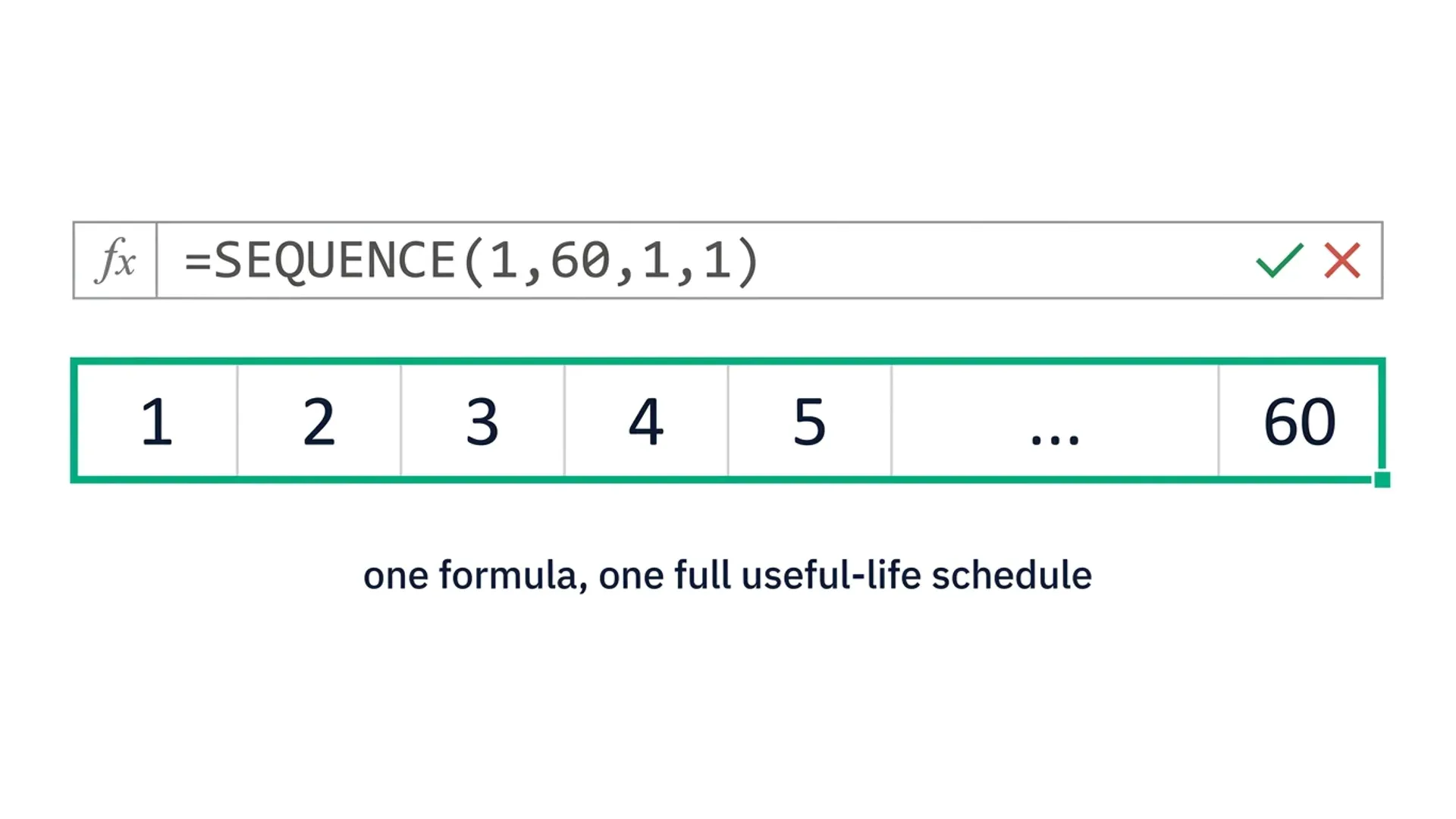
SEQUENCE(1, 60) generates a single-row array of 60 sequential numbers: 1, 2, 3... 60. That's the entire useful-life month count for a 5-year asset, generated in one function call rather than 60 manually dragged formulas. Change the useful life to 7 years and the same logic becomes SEQUENCE(1, 84), the array resizes itself, and everything built on top of it resizes with it.
The Scenario: A Multi-Asset Register With Varying Useful Lives
To keep this concrete, we'll build a schedule for a fictional fixed asset register, Meridian Group's equipment and vehicle assets, where useful lives range from three to seven years and assets are added throughout the year rather than all on the same date.
| Asset ID | Description | Cost | Useful Life (Years) | Purchase Date |
|---|---|---|---|---|
| FA-001 | Production Equipment A | 120,000 | 5 | 15 Jan |
| FA-002 | Delivery Vehicle | 45,000 | 3 | 3 Apr |
| FA-003 | Office IT Infrastructure | 28,000 | 7 | 22 Jul |
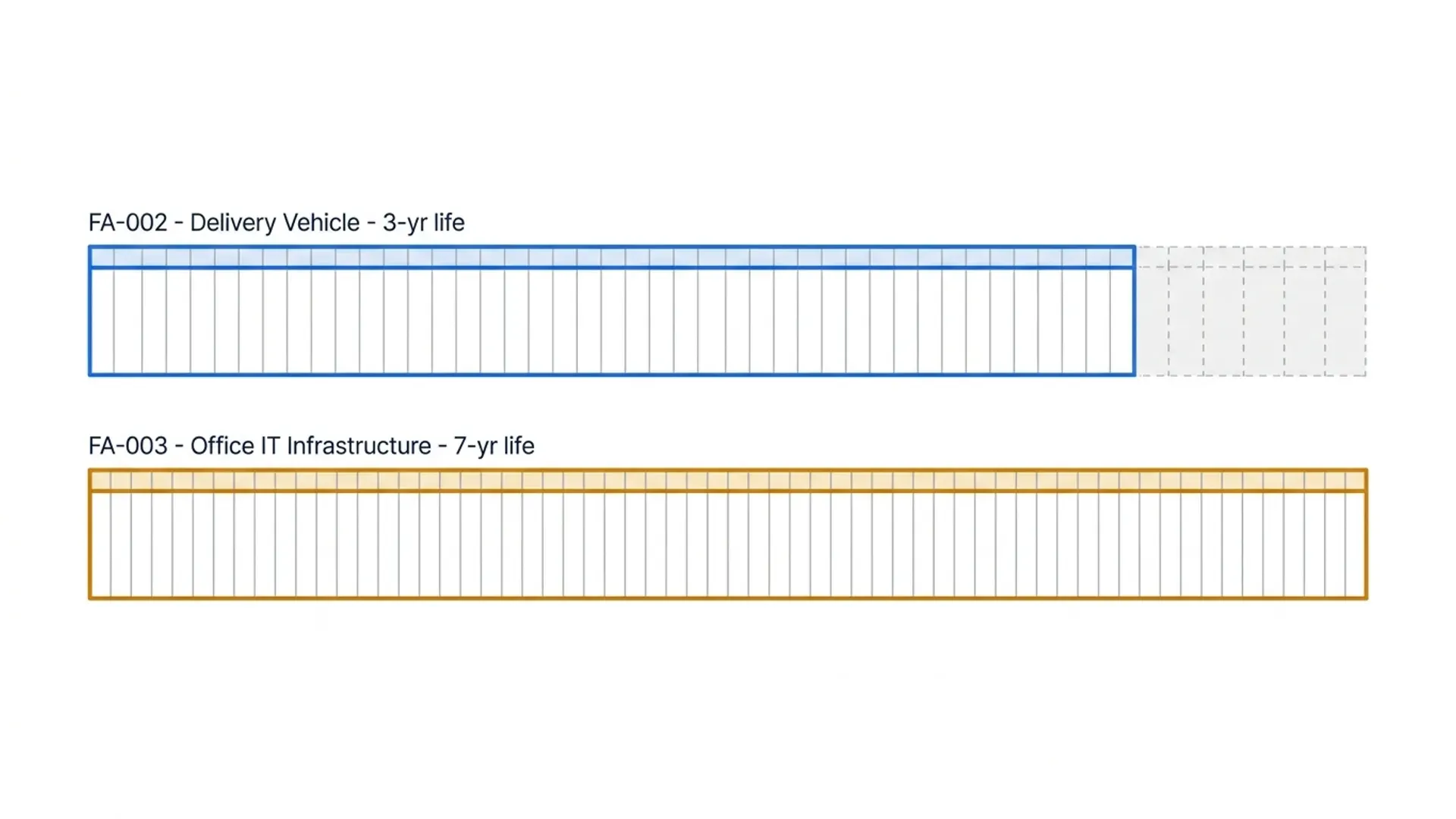
Each asset needs a schedule that runs for exactly its own useful life in months, starting from its own purchase date, not a shared grid sized to the longest asset on the register.
Step 1: Generating a Month Array With SEQUENCE
For each asset, generate its own useful-life month sequence:
=SEQUENCE(1, [@UsefulLifeYears]*12, 1, 1)
For FA-001 (5-year useful life), this returns a 60-number array: 1 through 60. For FA-002 (3-year useful life), it returns 36 numbers. Each asset's schedule is exactly as wide as its own useful life requires, no blank trailing columns, no manually adjusted range.
Step 2: Straight-Line Depreciation Across the Sequence
With the month sequence generated, straight-line monthly depreciation applies directly across the array:
=([@Cost]/([@UsefulLifeYears]*12)) * (SEQUENCE(1, [@UsefulLifeYears]*12, 1, 1) > 0)
The multiplication by the Boolean condition is a safeguard, it keeps every value in the array as the same monthly depreciation figure across the asset's full useful life, and makes it straightforward to extend the logic later (for example, zeroing out any month past a disposal date) without restructuring the formula.
For a running cumulative depreciation and net book value alongside each month, layer SUM using the sequence as an index:
=[@Cost] - (([@Cost]/([@UsefulLifeYears]*12)) * SEQUENCE(1, [@UsefulLifeYears]*12, 1, 1))
This returns the net book value at the end of each month in the array, in one formula, for the asset's entire useful life.
Step 3: Declining Balance Depreciation Across the Sequence
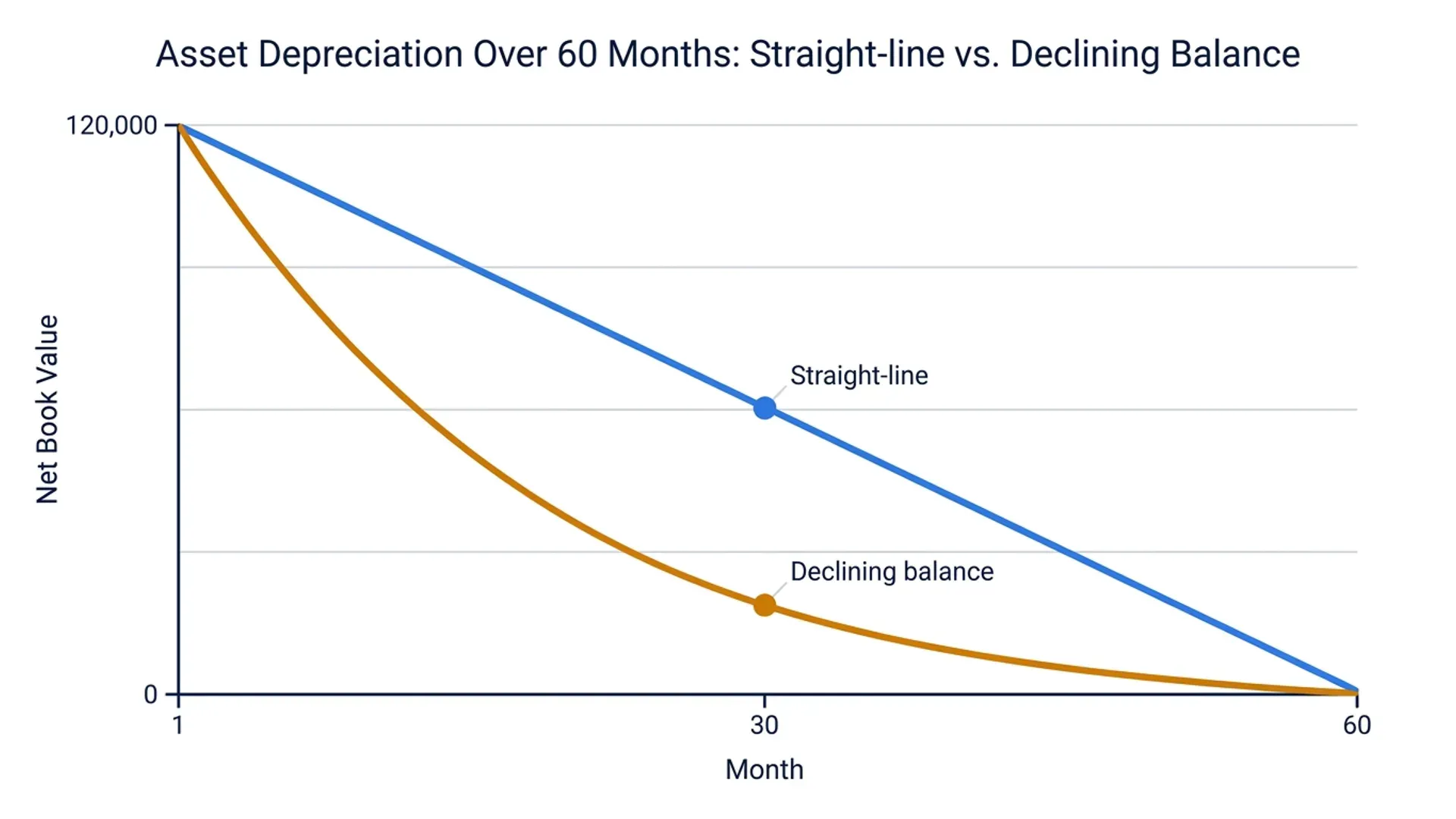
Declining balance depreciation is more common where local tax rules or Board policy favour front-loaded depreciation. The month-by-month net book value depends on the previous month's balance, which means it isn't a simple direct formula across the array, but SEQUENCE still generates the month index cleanly, and a helper column resolves the recursive calculation:
=[@Cost] * (1 - [@DecliningRate])^(SEQUENCE(1, [@UsefulLifeYears]*12, 1, 1) - 1) * [@DecliningRate]
This applies the declining balance formula directly to each month index generated by SEQUENCE, without needing a separate row for every month that references the row above it, the array does the compounding in a single formula.
Step 4: Handling Mid-Month Asset Additions
Real asset registers rarely have every asset starting on the first of a month. FA-002 was purchased on 3 April, a common convention is to depreciate from the first full month following acquisition, or to pro-rate the first month based on days held, the same stub-period problem covered in more depth in our DATEDIF guide to IFRS 16 lease amortisation. Layer this onto the SEQUENCE array with an offset:
=EDATE([@PurchaseDate], SEQUENCE(1, [@UsefulLifeYears]*12, 0, 1))
This generates the actual calendar month-end date corresponding to each position in the sequence, starting from the asset's own purchase date, so FA-001's schedule runs January through the relevant year, while FA-002's runs from April, each correctly anchored to when the asset actually entered service.
Step 5: Making the Schedule Expand Automatically When Useful Life Changes
This is where SEQUENCE earns its place over a static grid. If FA-003's useful life is revised from seven years to five following an impairment review, the SEQUENCE-driven formula automatically regenerates a 60-number array instead of 84 the moment the UsefulLifeYears input cell changes, every formula built on that sequence resizes with it. No columns to delete, no drag-copy to redo, no risk of leaving stale months hanging off the end of a shortened schedule.
Combining SEQUENCE With SUMIFS for a Monthly Depreciation Summary
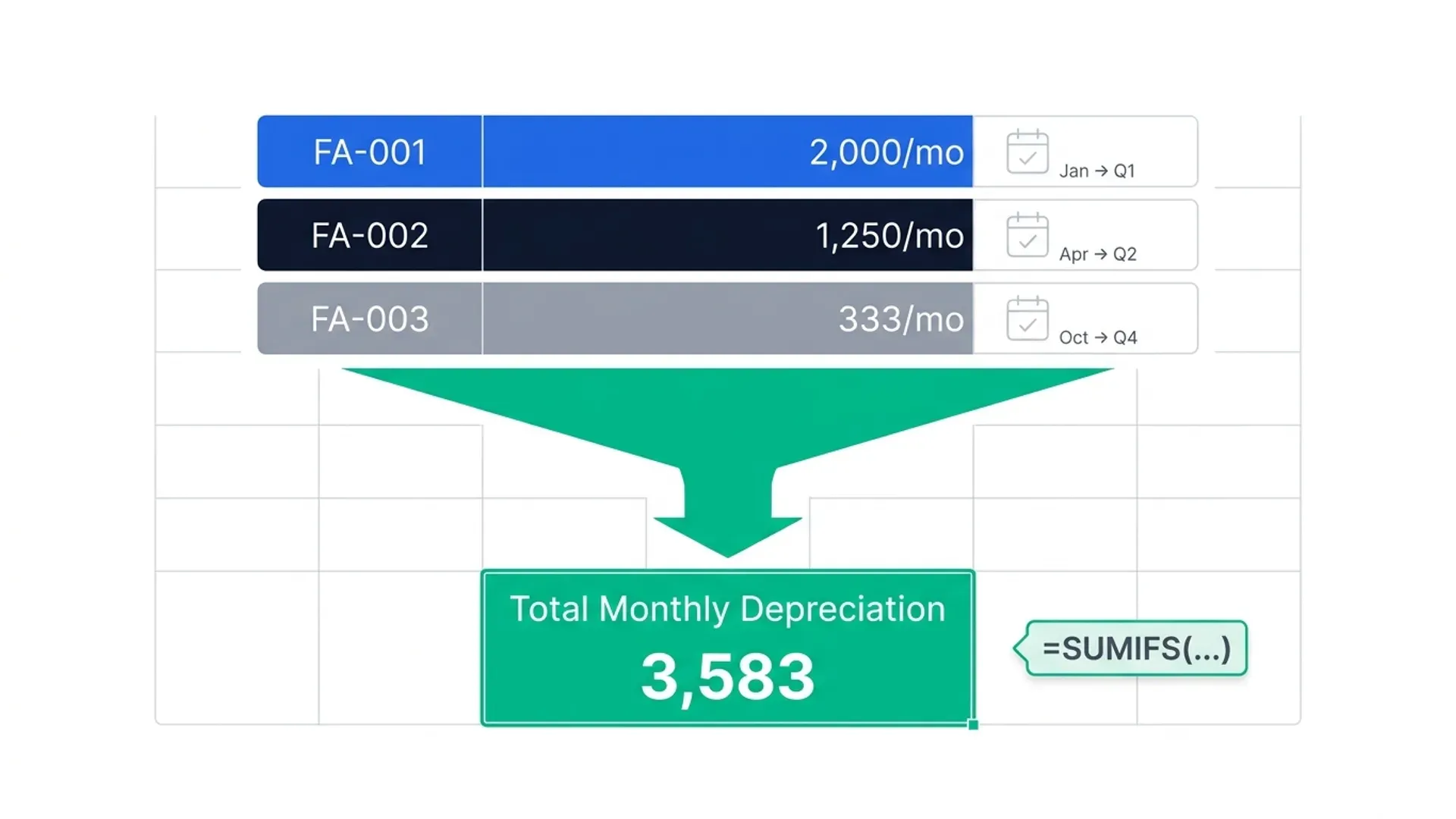
For a management reporting view, total depreciation expense by month across the entire register, regardless of each asset's individual useful life or start date, combine the per-asset SEQUENCE schedules with SUMIFS:
=SUMIFS(DepreciationSchedule[MonthlyCharge], DepreciationSchedule[ScheduleMonth], [@ReportingMonth])
Because each asset's schedule was generated by SEQUENCE against its own actual calendar dates (Step 4), this SUMIFS correctly aggregates depreciation across assets with completely different useful lives and start dates into one clean monthly total, exactly the kind of cross-asset aggregation our SUMIFS for financial analysis guide covers in more depth.
The same array-generation trick works for valuation models too, not just month arrays. Feed SEQUENCE a starting rate and a step instead of a starting month and a step, and it generates a discount-rate array for a one-formula sensitivity table, see our XNPV vs NPV guide for the worked example.
Three Mistakes That Break SEQUENCE-Based Schedules
Hardcoding the useful life into the SEQUENCE call instead of referencing the input cell. SEQUENCE(1,60,1,1) works today but doesn't update if that asset's useful life changes later. Always reference the useful-life input cell ([@UsefulLifeYears]*12) so the array genuinely stays dynamic.
Forgetting SEQUENCE requires Excel 365 or 2021. On older versions this returns #NAME?, exactly like the other dynamic array functions covered in this cluster. If your asset register gets shared with sites on older Excel, flag this dependency clearly or provide a static fallback version.
Building the sequence without anchoring it to the asset's actual purchase date. A SEQUENCE array of raw numbers (1, 2, 3...) is only useful once it's converted to actual calendar dates via EDATE, as in Step 4. Skipping this step means every asset's schedule looks aligned in the formula but doesn't actually correspond to real reporting periods when assets start at different times of year.
When SEQUENCE Isn't Enough
This approach handles a register with dozens to low hundreds of assets comfortably. Once you're managing disposals mid-life, partial-year impairments, multiple depreciation books (statutory versus tax) running in parallel, and a register that needs to reconcile automatically to the GL every month, hand-building this in Excel becomes a maintenance burden rather than a time-saver, even with SEQUENCE removing the drag-copy problem, someone still has to build and audit the formula logic asset by asset.
Frequently Asked Questions
Does SEQUENCE work for both straight-line and declining balance depreciation?
Yes. Straight-line applies a constant monthly charge across the array SEQUENCE generates, while declining balance applies a compounding rate to each month index in the array. Both methods use the same SEQUENCE-generated month array as their foundation, the difference is in the formula applied on top of it, not in how the schedule length is generated.
What Excel version do I need for SEQUENCE?
SEQUENCE requires Excel 365 or Excel 2021. On Excel 2019 or earlier, the formula returns a #NAME? error. If your asset register is shared across sites running different Excel versions, this is worth confirming before building a SEQUENCE-dependent schedule that others need to open and maintain.
How do I handle an asset that's sold or disposed of mid-schedule?
Add a disposal date input and multiply the depreciation formula by a Boolean check comparing the sequence-generated month date against the disposal date, so months after disposal return zero rather than continuing to charge depreciation. This keeps the schedule accurate without needing to physically shorten or rebuild the SEQUENCE array itself.
Can SEQUENCE handle assets with different depreciation start conventions, like half-year or full-month conventions?
Yes, by adjusting the offset arguments inside SEQUENCE or the EDATE calculation built on top of it. A full-month convention (depreciate from the first of the month following acquisition) and a half-year convention (six months of depreciation regardless of exact purchase date) both come down to how you calculate the starting point fed into the sequence, not a limitation of SEQUENCE itself.
Why use SEQUENCE instead of just building the schedule with a longer formula and manual fill-down once?
A manual fill-down is a one-time construction that becomes stale the moment an asset's useful life changes, a new asset is added with a different useful life, or someone needs to insert a row without breaking downstream references. SEQUENCE regenerates the array from the input cells every time they change, which removes an entire category of maintenance error, not just the initial time spent dragging formulas.
Conclusion: One Formula, Any Useful Life
The drag-copy habit in depreciation schedules isn't really about Excel skill, it's a workaround for the fact that older Excel had no way to generate a variable-length array in one formula. SEQUENCE removes the workaround. One formula generates exactly as many months as an asset's useful life requires, resizes itself the moment that useful life changes, and anchors correctly to each asset's own purchase date rather than a shared grid built for the longest asset on the register.
Here's your action plan:
- Replace any drag-copied depreciation formula with a SEQUENCE-driven array referencing the useful-life input cell, not a hardcoded month count.
- Anchor the sequence to real calendar dates with EDATE rather than leaving it as raw sequential numbers, this is what makes cross-asset aggregation with SUMIFS work correctly.
- Build the Boolean disposal check in from the start even if no assets are currently disposed of, it's far easier to add this to a SEQUENCE-based formula upfront than to retrofit it later.
- Confirm your register's Excel version compatibility before rolling a SEQUENCE-based schedule out across a team or multiple sites.
Once this is running, adding a new asset to the register is genuinely one row of inputs, not a rebuilt schedule.
Managing this across a growing register with multiple depreciation books and automatic GL reconciliation? DepreciationLab runs this exact logic natively across seven depreciation methods.
Part of the FinDataPro Depreciation Methods Series.
⚡Try It Yourself
Run SEQUENCE-driven straight-line and declining balance schedules natively, across seven depreciation methods, with multi-book support and automatic GL reconciliation. Start free at Depreciation Lab →
Prashant Panchal is a Chartered Accountant (ACA) and Financial Modelling & Valuation Analyst (FMVA®) with 19 years of experience in finance, FP&A, and financial modelling across the GCC region. He is the founder of FinDataPro.
Discussion
Leave a Comment
Comments are moderated and appear once approved.