
SWITCH vs Nested IFS in Excel: Which Is Right for Financial Statement Mapping
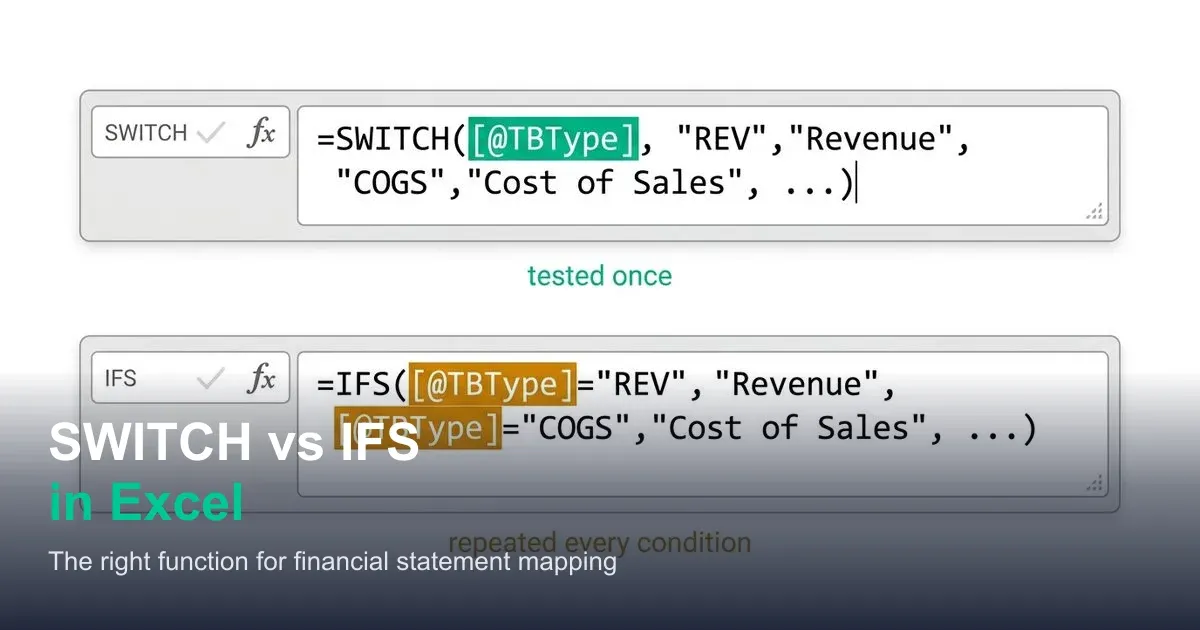
SWITCH and IFS solve different chart-of-accounts mapping problems. See exactly where each one fits, with a real GL mapping example for both.

ACA | FMVA® | 19 Years in Finance
The honest answer to "SWITCH or IFS" isn't "whichever is faster," it's "whichever one your data structure actually needs," and the two aren't interchangeable in the way they're often presented. SWITCH is built for testing one value against a list of exact matches. IFS is built for testing a list of independent conditions, which is the only way to handle range-based logic like account number bands. Using SWITCH where you need range logic doesn't just produce messier code, for genuine ranges, it doesn't work at all without a workaround that quietly turns it back into IFS anyway.
This guide draws a clean line between the two use cases with real chart-of-accounts mapping examples, so the choice becomes obvious rather than a coin flip.
Why Nested IF Chains Become a Maintenance Problem
A four- or five-condition nested IF for account classification is already hard to read:
=IF([@TBType]="REV","Revenue",IF([@TBType]="COGS","Cost of Sales",IF([@TBType]="OPEX","Operating Expenses",IF([@TBType]="TAX","Income Tax","Unclassified — Review"))))
Every additional condition adds another layer of nested parentheses, and past five or six conditions, counting closing brackets to check the formula is even structured correctly becomes its own task. SWITCH and IFS were both introduced specifically to replace this pattern, but they replace two different shapes of it.
What SWITCH Actually Does
Per Microsoft's official SWITCH function reference:
=SWITCH(expression, value1, result1, value2, result2, ..., [default])
SWITCH evaluates one expression once, then compares it against a list of exact values in turn, returning the matching result, or the optional default if nothing matches. It tests for equality only; there's no way to express "greater than" or "between" directly inside a SWITCH value argument.
What IFS Actually Does
Per Microsoft's official IFS function reference:
=IFS(condition1, result1, condition2, result2, ..., [TRUE, default])
IFS evaluates a list of entirely independent conditions in order and returns the result for the first one that's true. Because each condition is its own independent logical test, IFS can express ranges, comparisons, and compound logic, anything a normal IF condition could express, not just equality checks against one fixed expression.
The Scenario Where SWITCH Is the Right Tool: Discrete Code Mapping
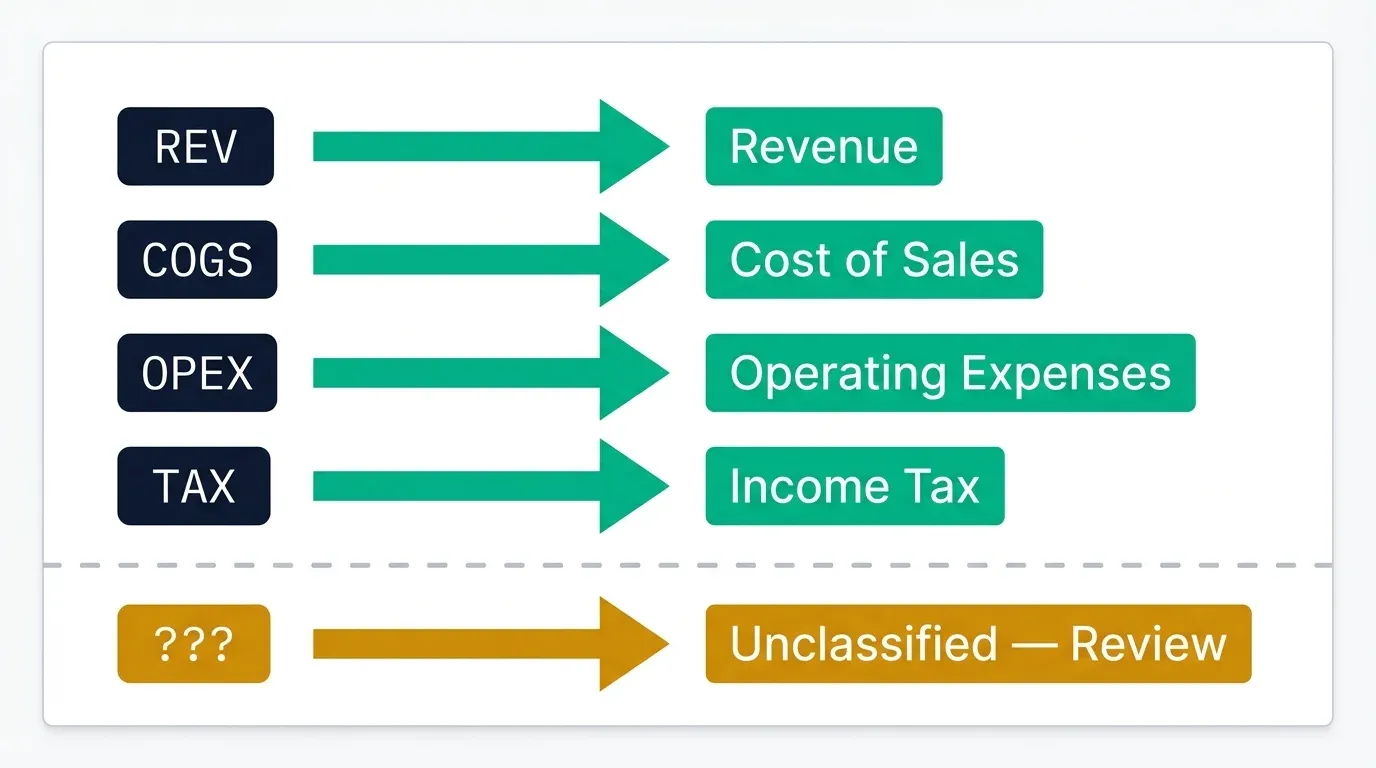
Consider a fictional trial balance extract for Meridian Group, where each line carries a short type code from the sub-ledger that needs mapping to a financial statement category label:
| TB Type Code | Financial Statement Category |
|---|---|
| REV | Revenue |
| COGS | Cost of Sales |
| OPEX | Operating Expenses |
| TAX | Income Tax |
This is a genuinely discrete lookup, each code maps to exactly one label, with no ranges or comparisons involved. SWITCH handles it cleanly:
=SWITCH([@TBType], "REV","Revenue", "COGS","Cost of Sales", "OPEX","Operating Expenses", "TAX","Income Tax", "Unclassified — Review")
Compare this to the equivalent IFS version:
=IFS([@TBType]="REV","Revenue", [@TBType]="COGS","Cost of Sales", [@TBType]="OPEX","Operating Expenses", [@TBType]="TAX","Income Tax", TRUE,"Unclassified — Review")
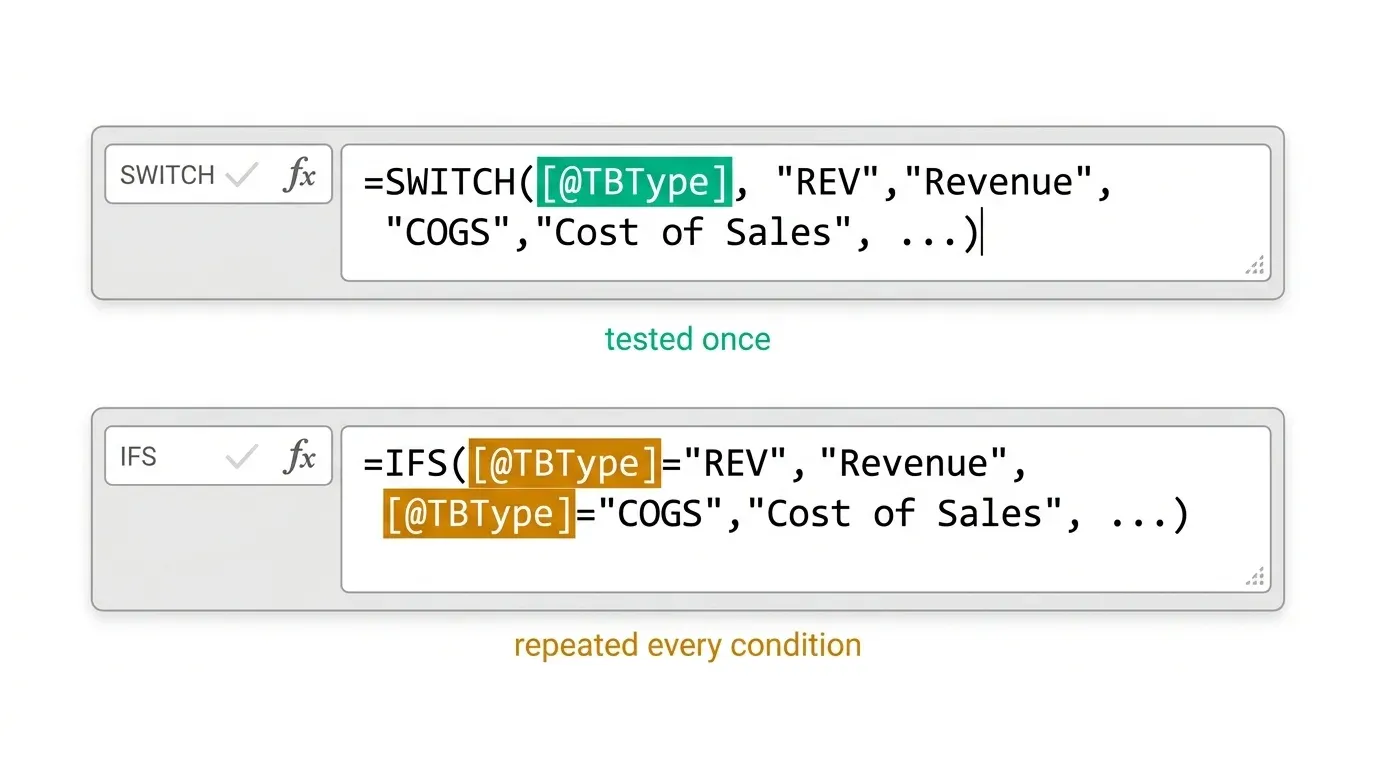
Both return identical results for identical inputs. The difference is that SWITCH states [@TBType] once, at the start, while IFS repeats it as part of every single condition. For a mapping table with a dozen or more discrete codes, that repetition in the IFS version is not just longer to type, it's a dozen separate places where a copy-paste error could reference the wrong cell.
The Scenario Where SWITCH Cannot Work: Range-Based Account Bucketing
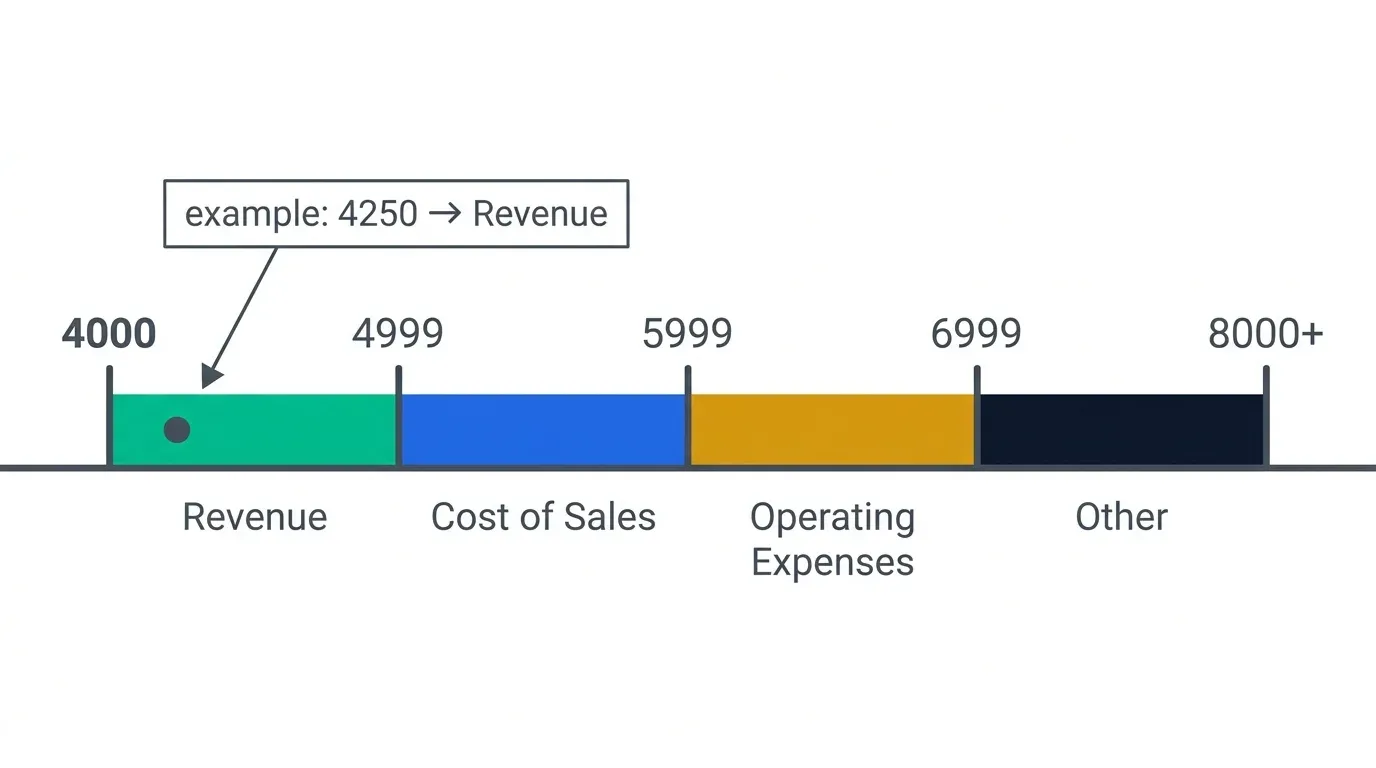
Now consider a different mapping problem for the same business: classifying raw GL account numbers into financial statement categories based on numeric ranges, not discrete codes:
| Account Number Range | Financial Statement Category |
|---|---|
| 4000–4999 | Revenue |
| 5000–5999 | Cost of Sales |
| 6000–6999 | Operating Expenses |
| 7000 and above | Other |
There is no exact value SWITCH can test the account number against, 4100, 4250, and 4999 are all different values that need to fall into the same "Revenue" result, and SWITCH's equality-only comparison has no way to express "falls between 4000 and 4999" as a single value match. This is IFS's actual use case:
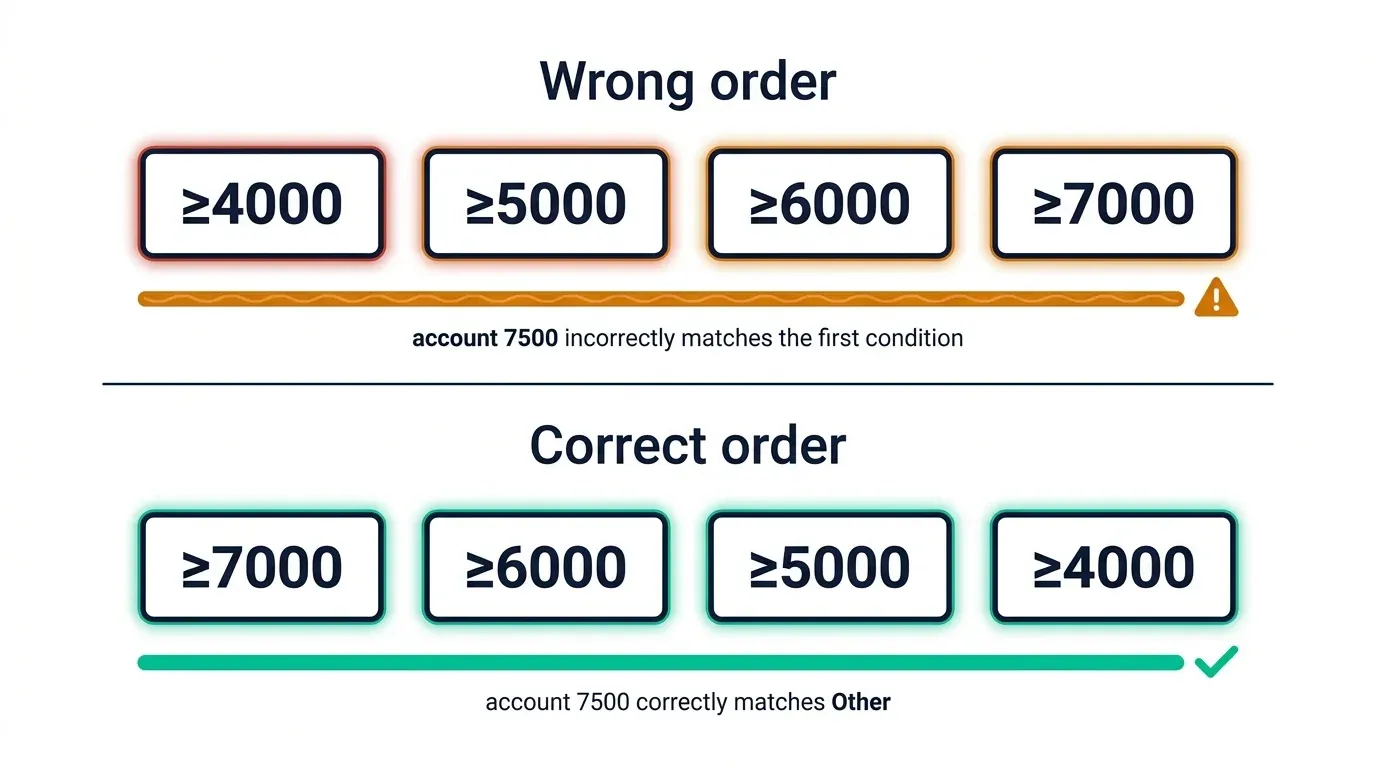
=IFS([@AccountNumber]>=7000,"Other", [@AccountNumber]>=6000,"Operating Expenses", [@AccountNumber]>=5000,"Cost of Sales", [@AccountNumber]>=4000,"Revenue", TRUE,"Unclassified — Review")
Note the conditions are ordered from highest threshold to lowest, IFS returns the result for the first true condition it encounters, so testing >=7000 before >=4000 is what correctly separates "Other" from "Revenue" rather than every account number above 4000 incorrectly matching the first (lowest) threshold it happens to clear.
Handling the Fallback Case in Both Functions
Both functions handle "nothing matched" differently, and it's worth being precise about the syntax. SWITCH takes an optional final argument with no paired condition, anything unmatched falls through to it directly. IFS has no dedicated fallback argument; the convention is a final TRUE, "default value" pair, which always evaluates as true and therefore always catches whatever fell through every prior condition. Omitting this final catch-all in either function means an unmatched value returns a #N/A error rather than a controlled default, worth testing deliberately with a genuinely unmapped code or account number before trusting either formula in a live model.
Can SWITCH Fake Range Logic? The TRUE Workaround, and Why IFS Is Still Cleaner
It's possible to force SWITCH into range-testing territory using TRUE as the tested expression:
=SWITCH(TRUE, [@AccountNumber]>=7000,"Other", [@AccountNumber]>=6000,"Operating Expenses", [@AccountNumber]>=5000,"Cost of Sales", [@AccountNumber]>=4000,"Revenue", "Unclassified — Review")
This works and returns identical results to the IFS version above, but at this point, SWITCH is no longer doing what it's built for. It's evaluating TRUE against a list of Boolean conditions, which is functionally IFS with extra syntax overhead. This is worth knowing exists, since it occasionally appears in inherited models, but IFS remains the more direct and honest choice for genuine range logic, there's no readability advantage to the SWITCH(TRUE, ...) workaround over just using IFS as intended.
A Decision Rule You Can Apply in Five Seconds
If the thing being tested is one value being checked against a list of exact matches, a status code, a category flag, a short type identifier, use SWITCH. If the thing being tested involves any comparison, range, or condition that isn't a straight equality check, account number bands, date thresholds, amount tiers, use IFS. There's no scenario in standard financial statement mapping where the answer is genuinely ambiguous between the two once the underlying data shape is identified.
Three Mistakes That Break SWITCH/IFS-Based Mapping
Ordering IFS range conditions from lowest to highest instead of highest to lowest. As shown in the account bucketing example, IFS stops at the first true condition, testing >=4000 before >=7000 means every account number 4000 and above matches "Revenue" incorrectly, since the lower threshold is checked first and immediately returns true.
Omitting the fallback argument in either function. Both SWITCH and IFS return #N/A for an unmatched value if no default is supplied, deliberately test with an out-of-range or unmapped input before trusting either formula in production.
Reaching for the SWITCH(TRUE, ...) workaround out of unfamiliarity with IFS. It works, but it obscures intent rather than clarifying it, a reviewer seeing SWITCH(TRUE, ...) has to recognise the pattern before understanding the logic, whereas IFS states the same logic directly.
When Neither Function Is Enough
For very large mapping tables, dozens or hundreds of account codes, maintaining either function as a long formula becomes unwieldy regardless of which one is used. At that scale, a lookup-table approach with XLOOKUP against a maintained mapping table (covered in our guide on XLOOKUP for intercompany reconciliation, which uses the same mapping-table principle) is usually the better architecture, the mapping logic lives in editable table rows rather than inside a formula that needs rewriting every time a new account code is added.
If you want cleaner conditional logic built into your models systematically, Build Advanced Excel Models the Easy Way covers SWITCH, IFS, LET and LAMBDA, and the full modern Excel toolkit from the ground up.
Frequently Asked Questions
Is SWITCH actually faster than nested IFS in calculation terms?
There's no reliably documented, universal calculation-speed difference between the two for typical financial mapping formulas with a modest number of conditions, the meaningful difference is readability and maintainability, not raw calculation speed. Choosing based on which one correctly expresses your data's structure (discrete matches versus ranges) matters far more than a marginal performance difference neither function meaningfully has at typical mapping-table sizes.
Can SWITCH handle account number ranges at all?
Not directly, SWITCH tests for exact equality against a list of values, and an account number range like "4000 to 4999" isn't a single value it can match against. The SWITCH(TRUE, ...) workaround technically achieves it by testing Boolean conditions instead of exact values, but at that point it's functioning as IFS with extra syntax, not genuinely using SWITCH's intended behaviour.
What happens if no condition matches in either function?
Both return a #N/A error if no fallback is provided. SWITCH takes an optional final argument with no paired condition as its default; IFS conventionally uses a final TRUE, "default" pair, since IFS has no dedicated default argument of its own. Always include one, and test it deliberately with an unmapped input.
Does the order of conditions matter in SWITCH the way it does in IFS?
For SWITCH's typical discrete equality matching, order rarely matters, since each value comparison is independent and mutually exclusive by nature (a code can't simultaneously equal two different exact values). For IFS with range-based conditions, order is critical, conditions must be sequenced so a value can't incorrectly satisfy an earlier, broader condition before reaching the correct, narrower one, as shown in this article's account number example.
Should I use SWITCH or IFS for a chart of accounts with both discrete codes and range-based logic mixed together?
Split it into two clearly labelled steps rather than forcing one function to do both jobs, classify by discrete code with SWITCH where codes exist, and fall back to IFS-based range logic only for the subset of accounts that need numeric bucketing. Mixing both logics inside one nested formula, regardless of which function is used, tends to produce something genuinely hard to audit.
For a very large chart of accounts, is SWITCH or IFS still the right approach?
Past roughly a dozen or so mapping conditions, both functions become unwieldy as long single formulas, regardless of which one is technically more appropriate. At that scale, moving the mapping logic into an XLOOKUP-based reference table, covered in our guide on XLOOKUP for intercompany reconciliation, is generally the better-maintained architecture.
Conclusion: Match the Function to the Data Shape, Not the Trend
SWITCH and IFS aren't competing solutions to the same problem, they're correct solutions to two different problems that happen to look similar from a distance. A discrete code that maps to exactly one label is SWITCH's job. A value that needs classifying by range or comparison is IFS's job, and no amount of formula cleverness makes SWITCH genuinely suited to that second case without quietly turning it back into IFS.
Here's your action plan:
- Identify whether your mapping problem is discrete or range-based before choosing either function, this single question resolves the choice almost every time.
- Use SWITCH for exact-match code-to-label lookups, where the tested expression only needs stating once.
- Use IFS for anything involving comparisons or ranges, and order conditions from most restrictive to least restrictive when ranges could otherwise overlap.
- Always include a fallback, and test it deliberately, an unmapped code silently returning #N/A in a live model is a genuine risk, not a theoretical one.
Once the decision rule is second nature, the "which one is better" debate stops being relevant, the data shape already answered it.
Part of the FinDataPro Excel Formula Architecture Series.
Go Further
Build Advanced Excel Models the Easy Way
SWITCH, IFS, LET, LAMBDA, and the full modern Excel toolkit, covered from the ground up.
Enrol in the CoursePrashant Panchal is a Chartered Accountant (ACA) and Financial Modelling & Valuation Analyst (FMVA®) with 19 years of experience in finance, FP&A, and financial modelling across the GCC region. He is the founder of FinDataPro.
Discussion
Leave a Comment
Comments are moderated and appear once approved.