
Can You Still Install Power Query in Excel 2010?The Short Answer is No.
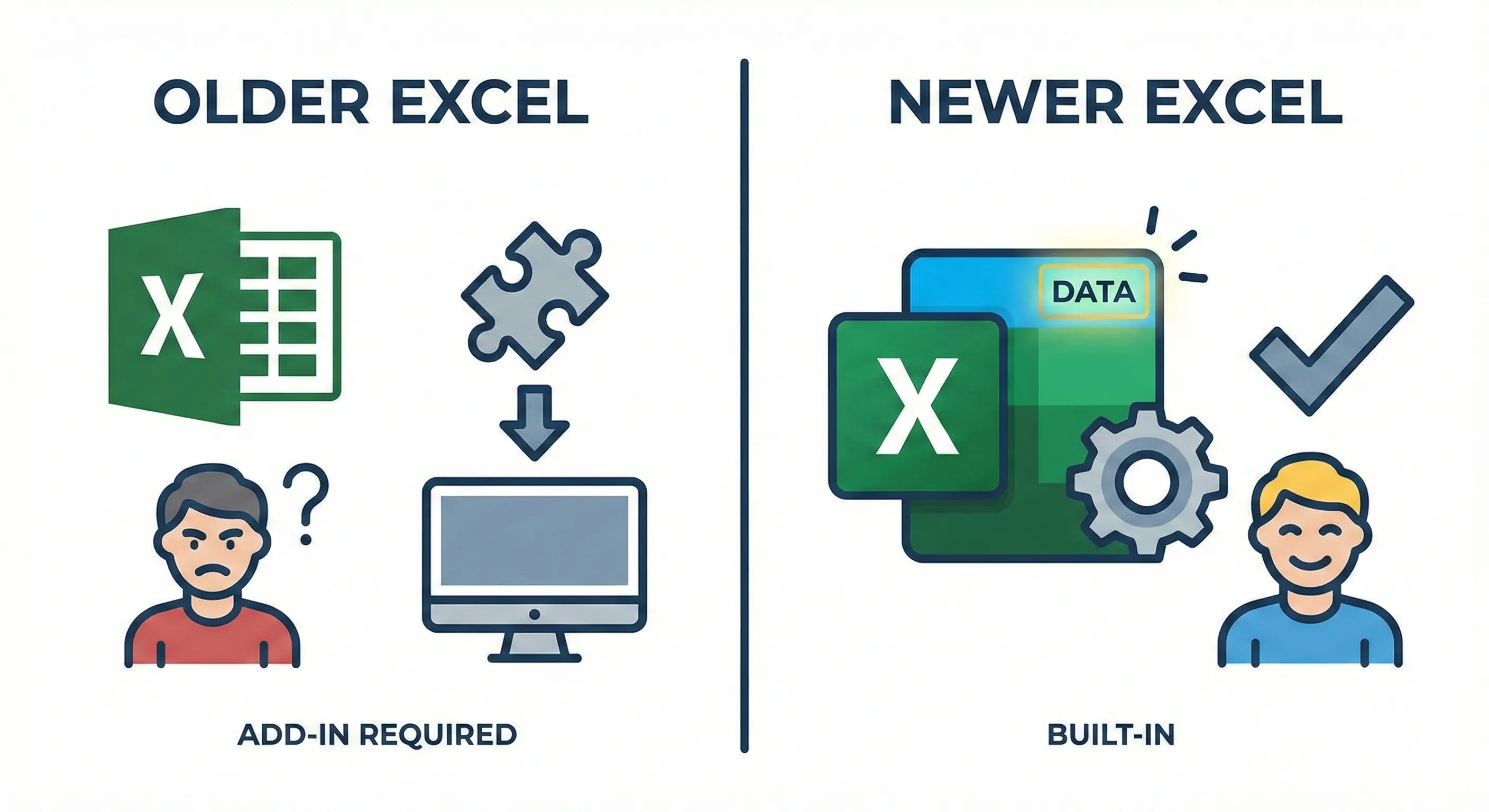
You might remember downloading the Power Query add-in for older versions. But things have changed. Microsoft has removed the installers, and the path forward is different.

ACA | FMVA® | 19 Years in Finance
Critical Update (2026)
Microsoft has officially ended support for the Power Query add-in for Excel 2010 and 2013. The official support lifecycle confirms these versions are past their end-of-life date.
The Hard Truth for Legacy Users
If you are still on Excel 2010 or 2013, you are facing a hard stop. Here is what you need to know:
- No Official Download: You cannot download the installer from Microsoft anymore.
- Security Risk: Finding the file on third-party sites is highly dangerous. It is unpatched, unsupported, and could contain malware.
- No Bug Fixes: Even if you have it installed, critical bugs or calculation errors will never be fixed.
SolutionUpgrade to "Get & Transform"
You don't need to "download" anything anymore. You simply need to upgrade your Excel version. Starting with Excel 2016, Power Query was rebuilt directly into the core of Excel.
It was renamed to Get & Transform Data and lives permanently on the Data tab.
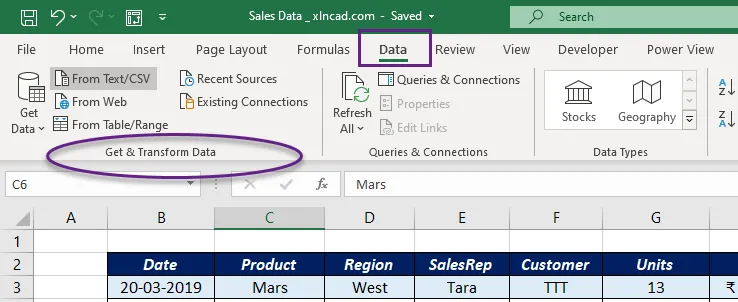
👆 In Modern Excel (2016+), it is built-in here.
Quick Reference Guide
| Excel Version | Power Query Status | Action Required |
|---|---|---|
| Excel 2010 | Discontinued | Cannot officially install. Must upgrade. |
| Excel 2013 | Discontinued | Cannot officially install. Must upgrade. |
| Excel 2016+ | Native / Built-in | It's already there. Use Data tab. |
| Office 365 | Native / Built-in | Always updated with latest features. |
🛡️Why This Matters for Finance Professionals (CAs)
In finance, data accuracy is non-negotiable. Using an unsupported, "zombie" version of a data transformation tool like the legacy Power Query add-in poses a significant operational risk.
If the tool breaks, calculates incorrectly due to an unpatched bug, or fails to connect to modern data sources, there is no support available to fix it. For audit trails and financial reporting, you must use the supported, native version in Excel 2016 or later.
Free Follow-Along Resources
Now Put Power Query to Work: Build a Zero-Formula Dashboard
Get the free step-by-step course resources: go from raw multi-division data to a fully automated dashboard that rebuilds itself on refresh, no formulas required.
Once Power Query is installed, one of the most immediately useful things you can build is a bank statement consolidation — a workflow that pulls statements from multiple banks, normalises every column, and produces one clean output table with a single click. The Universal Bank Statement Cleaner is a free template that does exactly this, and it is a practical way to learn how Power Query folder connections and transformation steps actually work on real data.
Now that you have Power Query
Automate Your Entire Bank Reconciliation with AI Agents
Power Query handles the data cleanup. AI agents handle the matching and exception flagging. This free Udemy course shows you how to combine both to reduce monthly bank recs from hours to minutes.
Get the Free Bank Rec CourseFrequently Asked Questions
Can I download Power Query for Excel 2016?▼
Where is the official implementation link for Excel 2010?▼
Is Power BI Desktop free to use?▼
Does this guide apply to Excel for Mac?▼
Why can't I find the Power Query tab in Excel 2016?▼
Can I share Power Query files with users on older Excel versions?▼
Don't Let Old Excel Hold You Back
Once you upgrade, unlock the full potential of Get & Transform with our professional templates designed for Accountants.
Explore Pro TemplatesPrashant Panchal is a Chartered Accountant (ACA) and Financial Modelling & Valuation Analyst (FMVA®) with 19 years of experience in finance, FP&A, and financial modelling across the GCC region. He is the founder of FinDataPro.
Discussion
Leave a Comment
Comments are moderated and appear once approved.